

Recommended
If nostalgia has hit you too and you want to know what you would look like with a 80s look, here we tell you everything you need to join this trend that has gone viral on Instagram: 80s photos with AI.
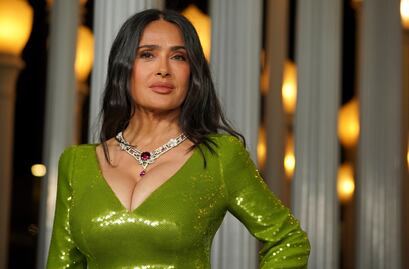
How to do the 80s photo trend with AI?
The first thing you need is a high-quality photo of yourself, whether it is just a portrait or a full-body shot.
Next, choose an AI of your preference, such as ChatGPT or Gemini, and give it a prompt to convert your current photo into an image that looks like it was taken in another era.
To get a better result, you can specify which elements of the original photograph you want to keep and which ones you want to modify, such as clothing, accessories, hairstyle, or the background.
What prompt should you use in ChatGPT to create 80s photos?
To prevent the AI from changing your face or other aspects you want to keep from the original photograph, you must be very specific and indicate which details you do not want to modify and which ones you do.
On TikTok, you can search for “prompt chat gpt 80s” and you will find several users who have already shared their own prompts.
Here we share two different prompts that you can copy and paste directly into the AI to create your own 80s photo and join this viral trend:
- “Convierte esta foto en un retrato estilo estudio de los años 80. Mantén mis rasgos faciales y haz que parezca una fotografía auténtica de esa época, con peinado voluminoso y característico de los años 80, maquillaje ochentero, ropa y accesorios de la época, iluminación suave y fondo retro.”
- “Crea una recreación fotográfica realista inspirada en la estética de los años 80: peinado voluminoso y característico de la época, maquillaje ochentero elegante, vestimenta típica de los años 80 y accesorios acordes con la época. Utiliza una iluminación y una fotografía con apariencia auténtica de esa década, incluyendo colores, textura y un ligero efecto de fotografía analógica.”
Also, once the AI gives you the image, you can modify it and ask for your hair to be less voluminous, for the makeup to be lighter, or for it to add another background.
If you don't want it to change your pose, expression, or age, you can also add the following instruction:
“Do not change the identity, face, features, pose, age, or skin tone of the original person.”
How do I make my photo look like it's from the 80s?
To the previous prompt, you can still add other instructions, depending on the look you want to achieve.
You can look for inspiration in 80s celebrities to choose clothing and makeup. You can also ask the AI for the image to have a cartoon or realistic style, or to look like a studio or family photograph.
Another option is to indicate that you want a pink or blue color filter or gradient, or neon lights.

[Publicidad]