

Recommended








To check how much money you have on your Well-being card, you no longer need to wait in lines at branches or go to an ATM. Now, as a beneficiary of the Secretariat of Well-being programs, you can check your balance, make transfers, or review your transactions from your mobile phone.
If you have an account with the Banco del Bienestar, the only thing you need to do is download the Banco del Bienestar Móvil application to your phone.
With the new updates, as a user, you can check your balance, see deposits made to you or by you, or make transfers with a single click using QR tools or other functions that facilitate managing your money, including what is deposited through Well-being programs.
Recommended

Maribel Guardia se une al trend de GTA 6 con foto de IA en microbikini en polémica por supuesto video de Julián Figueroa

Sheinbaum confirma que Inés Gómez Mont está en España y busca su extradición a México

Trump respalda a Robert Pattinson como James Bond y recuerda su polémica con Kristen Stewart

¿Quién ganó Miss Universo 2026? Conoce a Jennifer Barreto, la primera madre en llevarse la corona

¿Qué ciudades tienen los desfiles de Thanksgiving más impresionantes de Estados Unidos?
Las 12 preguntas más frecuentes y temidas en la entrevista para la visa de turista de Estados Unidos

Hailey Bieber celebra sus 30 años con increíble bikini dorado en medio de críticas y “caos”

Ninel Conde impacta en Miami con ajustado look deportivo: así luce a sus 50 años
The official Banco del Bienestar Móvil application is available on Google Play for Android devices and the App Store for iPhone users. Once you have installed it, open it, register your details, and create a password by following the instructions that appear on the screen.
- NO TE PIERDAS: Bienestar Edomex abre registro para mujeres de 18 a 64 años: cómo recibir consultas, medicamentos y lentes gratis
How do I check my balance in the Banco del Bienestar app?
First, you must log in with your username and password in the app. Afterward, your total balance, updated to the current time and day, will appear. This feature will save you from having to go to branches to wait in lines.
How do I make transfers from the Banco del Bienestar app?
Within the home page, you will be able to see a clickable option that says “Transfers” (Transferencias); there, you can perform transactions without going to the bank or an ATM.
To make transfers from the app, you only need to enter the details of the person receiving the money, such as their card number, CLABE account, or cell phone number; you must also enter the amount you wish to transfer and a payment reference. Finally, review the information a second time before authorizing the shipment, and that’s it—your transfer is made immediately.
How do I make payments with QR from the Well-being app?
The application also allows you to make payments and collections using QR codes. If you need to make a payment at an establishment or send money to another account, go to “Transfers,” select the QR option, and use your phone’s camera to scan the corresponding code. Check the amount before confirming the transaction.
If you have a business and want your customers to pay you via QR or transfer, the tool also allows you to do so without charging you commissions.
How do I review transactions from the Well-being app?
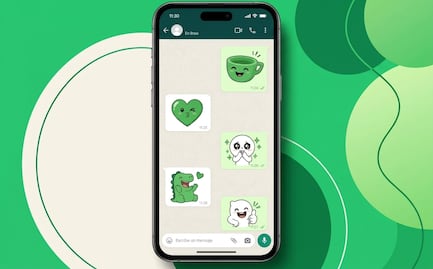
Next to the “Transfers” option is the “Transactions” (Movimientos) button. Here you can check the operations of the current month and even the previous one, from transfers to deposits or any other movement you have made with your money.
Transactions can be seen not only in that option, but the application allows you to activate notifications so you can be informed in real-time when any transaction is recorded in your account, such as payments made by the Secretariat of Well-being.
In the application, you can also check your account details, such as your account number, CLABE number, and your card number; each piece of data is available to copy or share. Likewise, if it is necessary to go to the bank in person, the application shows you the list and map of branches and ATMs near your home or location.



[Publicidad]